Extractor Pipeline
Overview
The Extractor Pipeline is used to extract structured information from documents.
Fields can be configured in two ways:
- Manual fields defined directly in the Extractor Pipeline
- Dataset-based fields selected from index metadata
Grouping is optional and can be used when related values need to be extracted under a parent field. This pipeline is typically used after parsing and optionally after classification.
What It Does
- Accepts parsed document as input
- Extracts values based on configured fields
- Supports optional grouping
- Returns extracted values with confidence scores
The output can be forwarded to writer pipelines, workflows, agents, or further processing stages.
Using the Extractor Pipeline
Add to DocProcessorAgent
- Go to Pipelines
- Select Extractor Pipeline
- Drag it into DocProcessorAgent
- Place it after pipelines that produce structured content (Parser or Classifier)
Configuring Extraction Fields
1. Manual Fields
Fields can be defined directly in the Extractor Pipeline configuration.
- Add labels manually in the pipeline settings
- Assign optional weightage (0–5)
- Fields can be grouped or left ungrouped
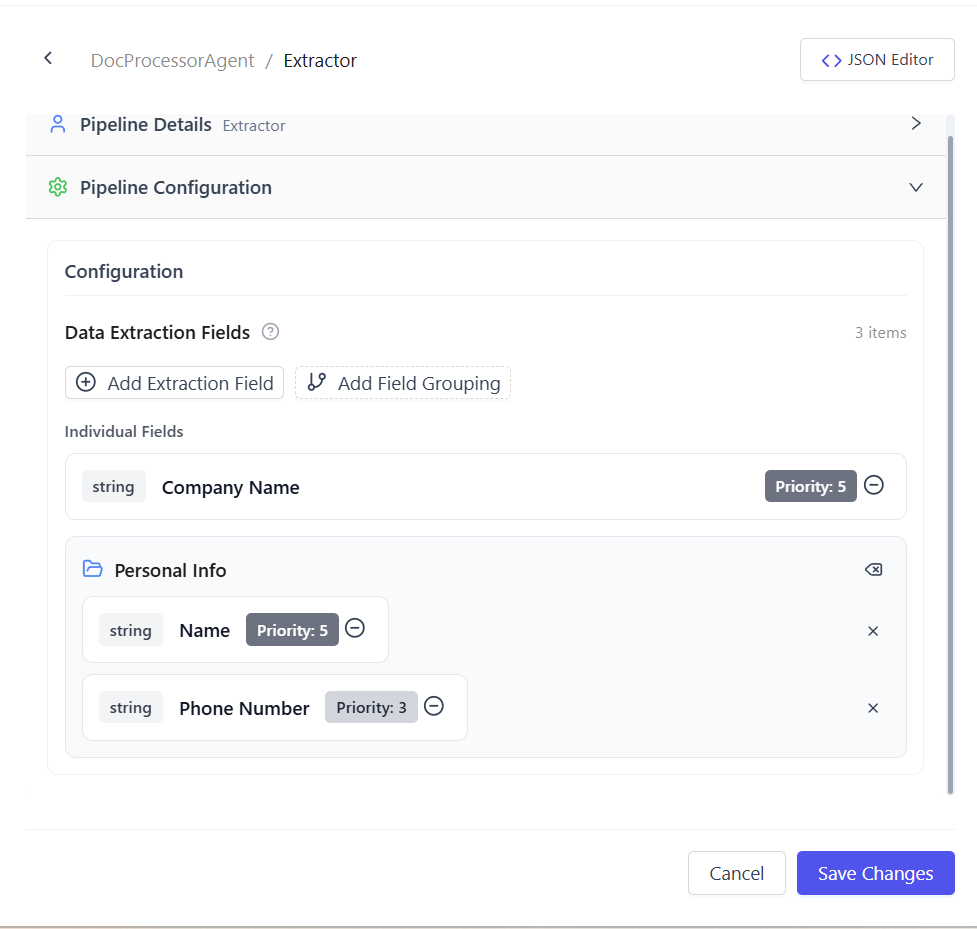
Use this approach when extraction requirements are fixed and not tied to a dataset schema.
2. Dataset-Based Fields
Fields can also be selected from dataset index metadata.
To use dataset-based fields:
- Configure a dataset on the agent
- Select the required index
- Choose index metadata fields as extraction fields
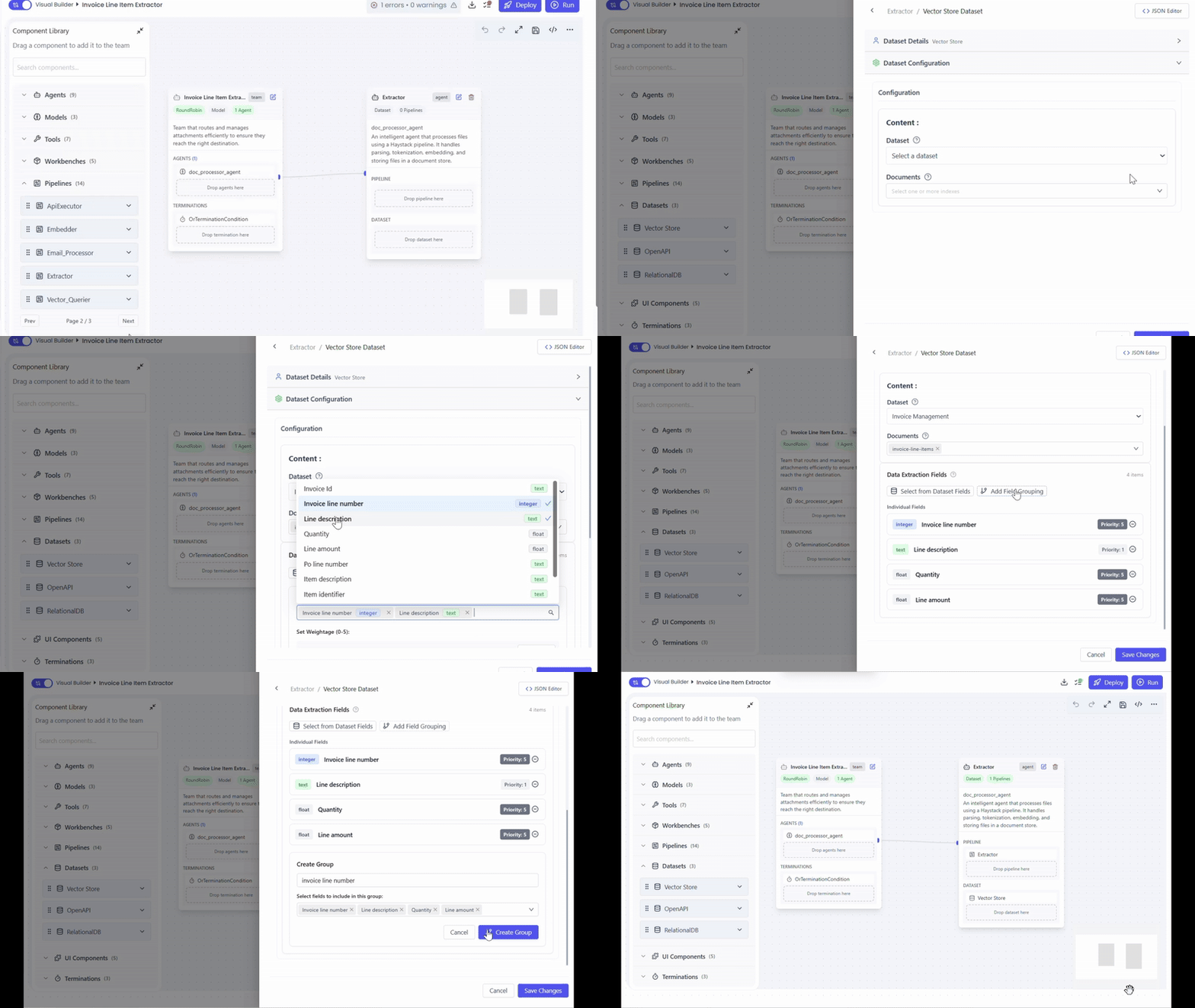
This approach is recommended when extraction should align with an existing dataset or vector store schema.
Optional Grouping
- Grouping is not mandatory
- Use grouping when related fields should be nested under a parent field
- Fields without a group are returned at the top level
- The extractor uses a
parent_attrrule internally to determine grouping.
Grouping rules
- If the group name is one of the fields configured for extraction:
- The extracted value of that field becomes the group key
- Fields under the group are nested under that value
- Multiple extracted values produce a list of grouped records
- A single value produces one grouped record
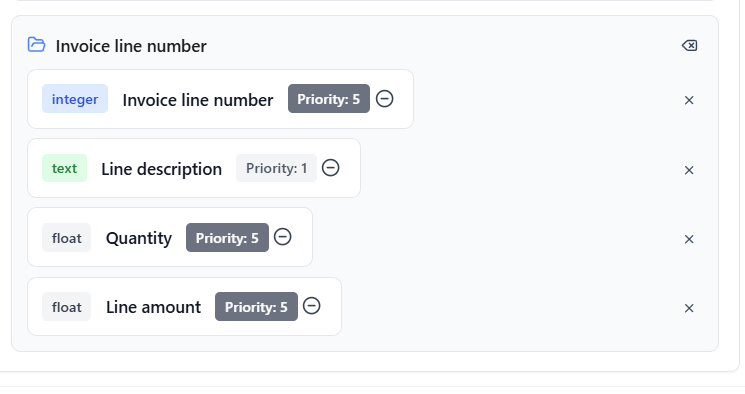
Parent key will derive from the value of a user-configured field (e.g., invoice line numbers)
- If the group name is not a field configured for extraction:
- Fields are grouped directly under the group name
- The group name acts as a fixed parent key
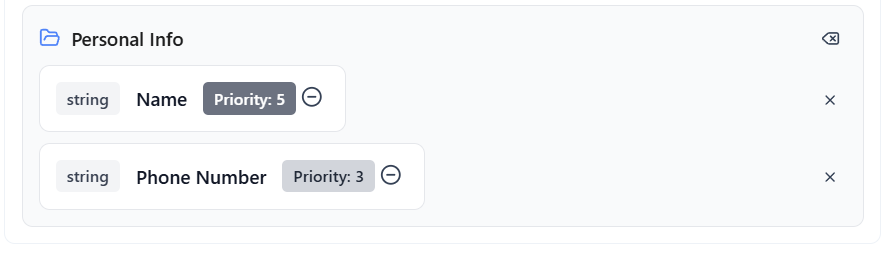
Fixed group name will use as the parent key (e.g., Personal Info)
Output
- Returns a list of extracted records
- Each record includes:
- Extracted values
- Confidence scores
- Field weightage
Common Use Cases
- Extracting invoices, receipts, and forms
- Capturing structured fields from contracts
- Aligning extraction with dataset metadata
- Structuring related values using groups
Summary
The Extractor Pipeline extracts structured data using either manual configuration or dataset-based metadata fields.
With optional grouping, confidence scoring, and weightage support, it enables clear and consistent document extraction workflows.