Parser Pipeline
Overview
The Parser Pipeline extracts readable text from documents so they can be processed by other pipelines such as embedding, indexing, or workflows.
It supports common formats including PDF, Word, CSV, Markdown, Text, and Excel, and produces clean, structured documents as output.
This pipeline is usually the starting point for any document-based processing flow.
What It Does
- Accepts files from chat uploads or datasets when deployed
- Extracts readable text from supported formats
- Outputs structured documents for downstream pipelines
Parsed documents can be passed to:
- Embedder pipelines
- Writer pipelines
- Workflows
- Document-based agents
The Parser Pipeline only extracts content. For indexing or storage, connect it to pipelines like Embedder or Writer.
Using the Parser Pipeline
Add to DocProcessorAgent
- Open Pipelines
- Select Parser Pipeline
- Drag and drop it into DocProcessorAgent agent
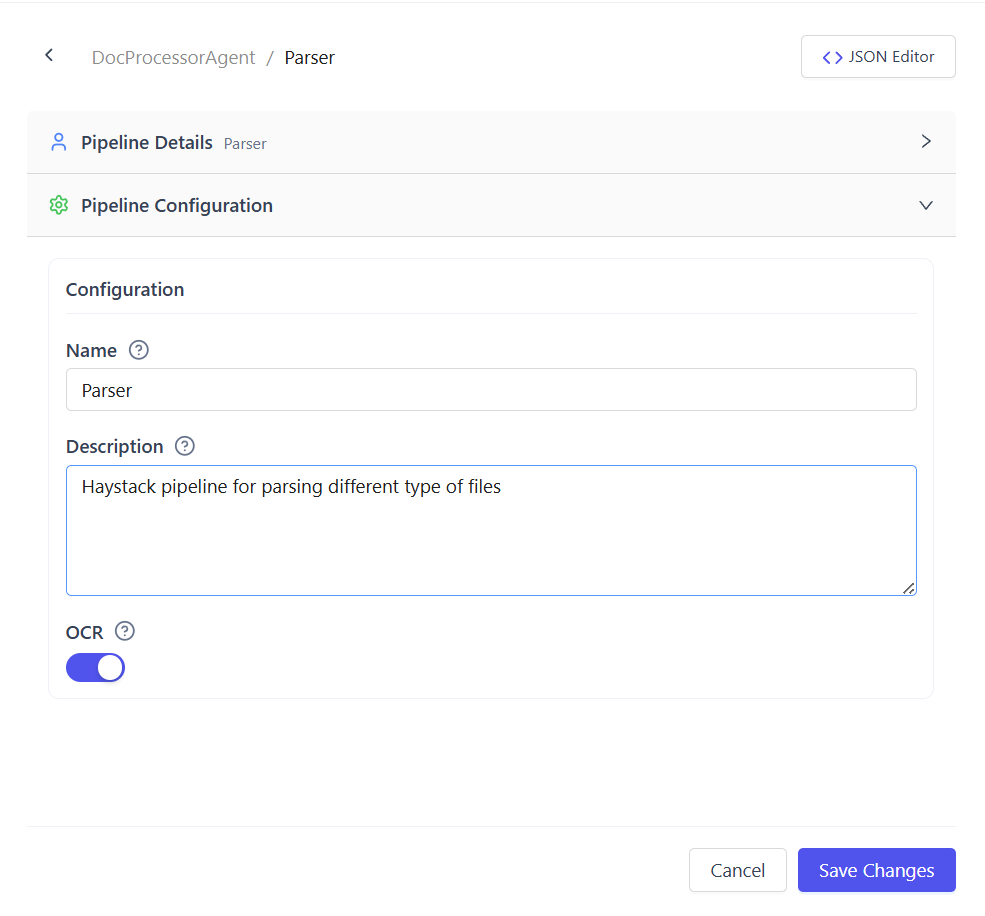
Configure Parsing Mode (Optional)
Use OCR when working with scanned or image-based documents.
Parsing options:
- OCR Disabled (default)
Best for digital PDFs and text-based files - OCR Enabled
Extracts text from scanned or image-only PDFs
Output
After execution:
- One or more structured documents are produced
- Output automatically flows to the next connected pipeline
- An error is returned if no readable content is found
Common Use Cases
- Parsing uploaded documents in chat
- Preparing documents for vector indexing
- Extracting text from scanned PDFs
- Feeding documents into workflows and agents
Summary
The Parser Pipeline converts raw documents into structured text.
With support for multiple formats and optional OCR, it serves as the entry point for all document-processing workflows.