Details Component
Overview
Details Component is a UI-focused component used to display and manage detailed information about a selected item. It supports a journey-style, multi-step view and allows editing of fields, including data extracted from PDF documents with visual mapping.
Available only when team type is set to UI.
Purpose
Details Component enables creation of a dedicated detail page that not only presents information but also allows users to review, edit, and validate data. This is especially useful when data originates from automated sources such as PDF extraction pipelines.
Journey View with Editable Steps
- Data is organized into multiple sequential steps
- Each step represents a logical section
- Fields inside steps are editable
- Changes are applied to the underlying dataset
Steps are defined by grouping dataset fields.
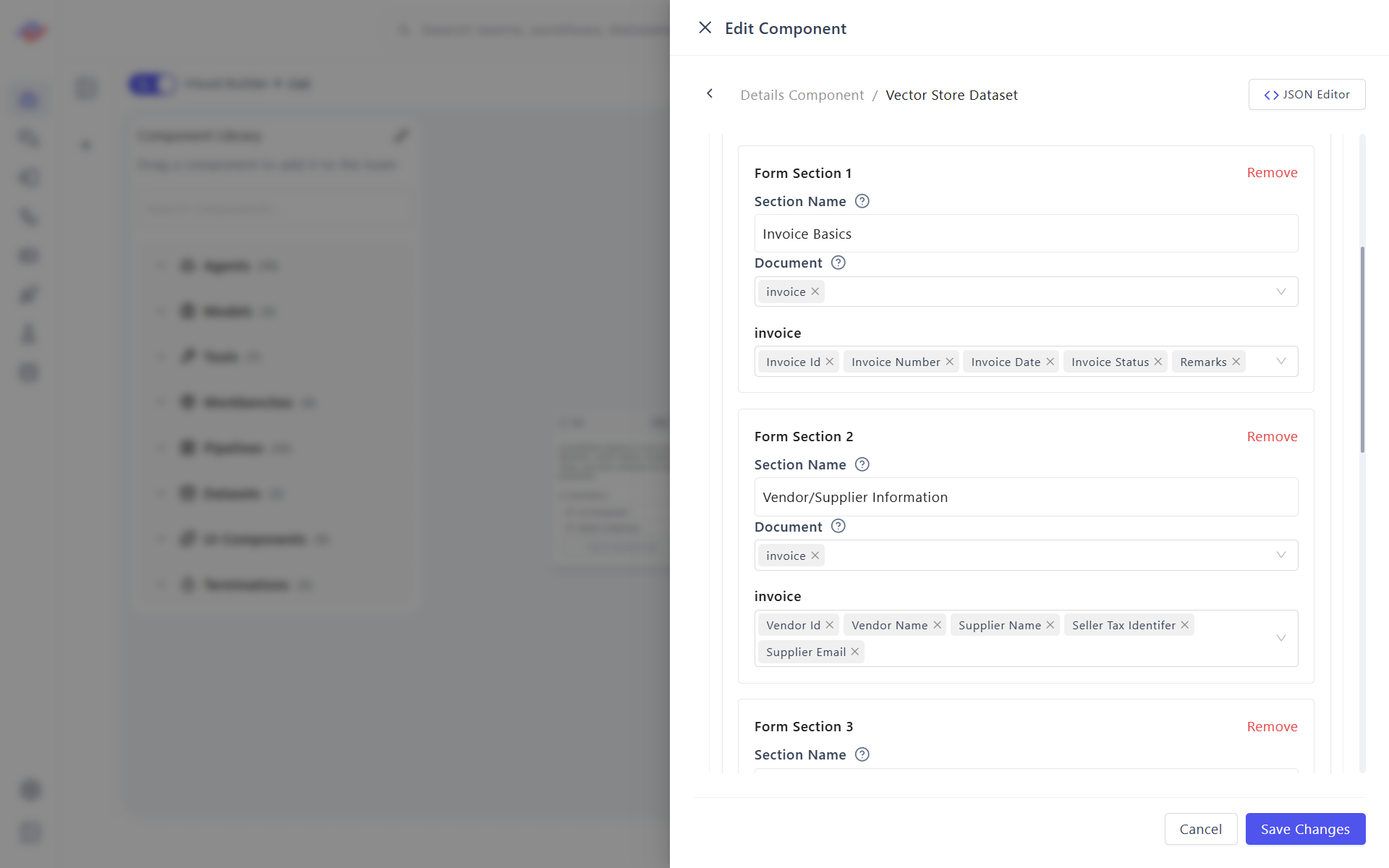
Dataset Configuration
Required Setup
- Select dataset source
- Select a unique ID field
- Choose fields to display
- Group fields into steps
- Enable editing for required fields
Each step corresponds to a group of fields rendered as an editable section.
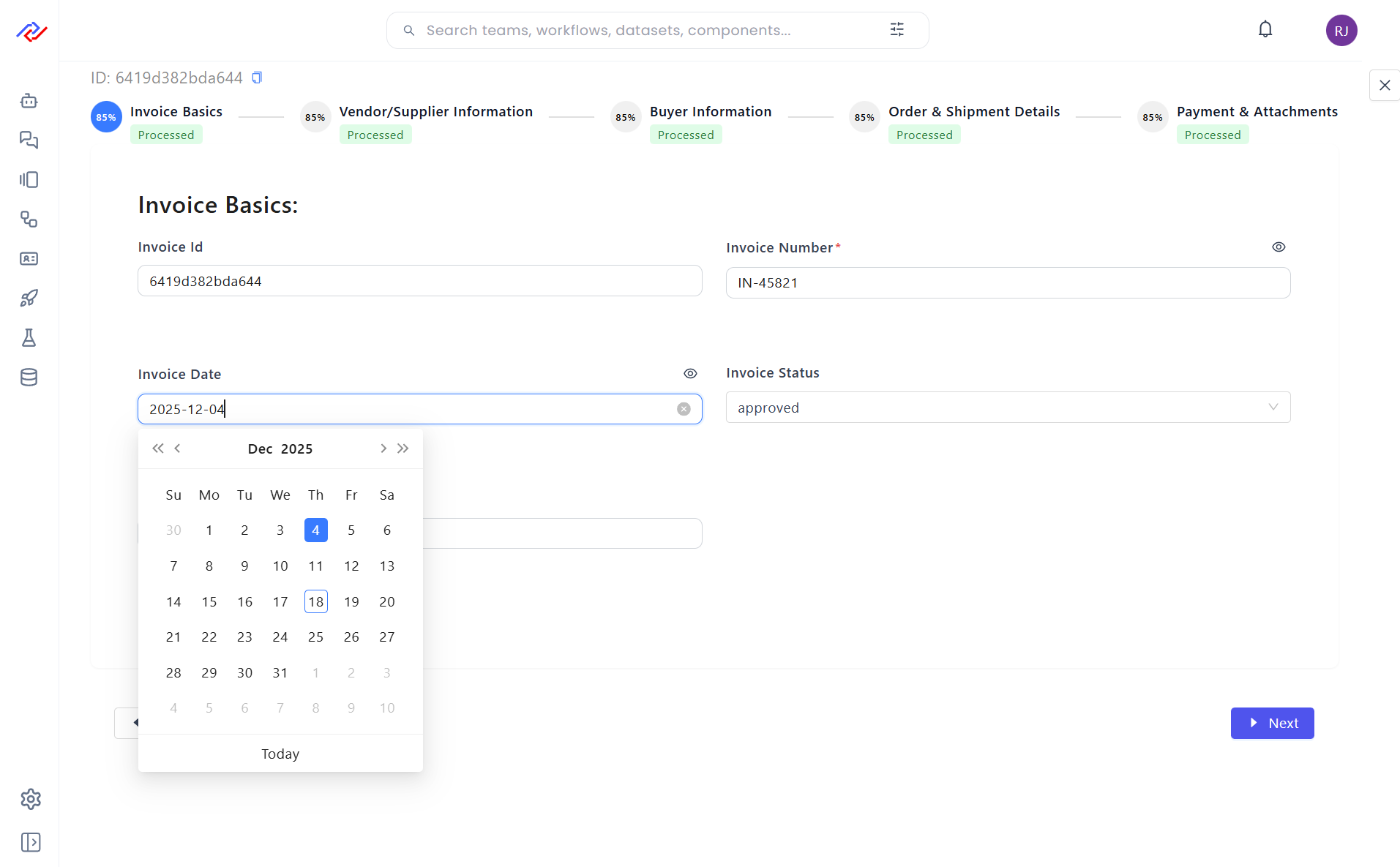
Editable Field Support
Supported Editing Capabilities
- Inline text editing
- Field value correction
- Optional validation rules
- Save and persist updates to dataset
Editing is controlled via UI configuration and dataset permissions.
PDF Extraction & Visualization
When data is extracted from PDFs, Details Component supports visual field-to-source mapping.
PDF Visualization Features
- Embedded PDF viewer
- Highlighted extraction zones
- Field-to-PDF region mapping
- Side-by-side data and source view
User Workflow
- PDF is processed by document pipeline
- Fields are extracted and stored in dataset
- Details Component loads extracted fields
- User views extracted values alongside PDF
- User edits or corrects fields if required
This enables human-in-the-loop validation.
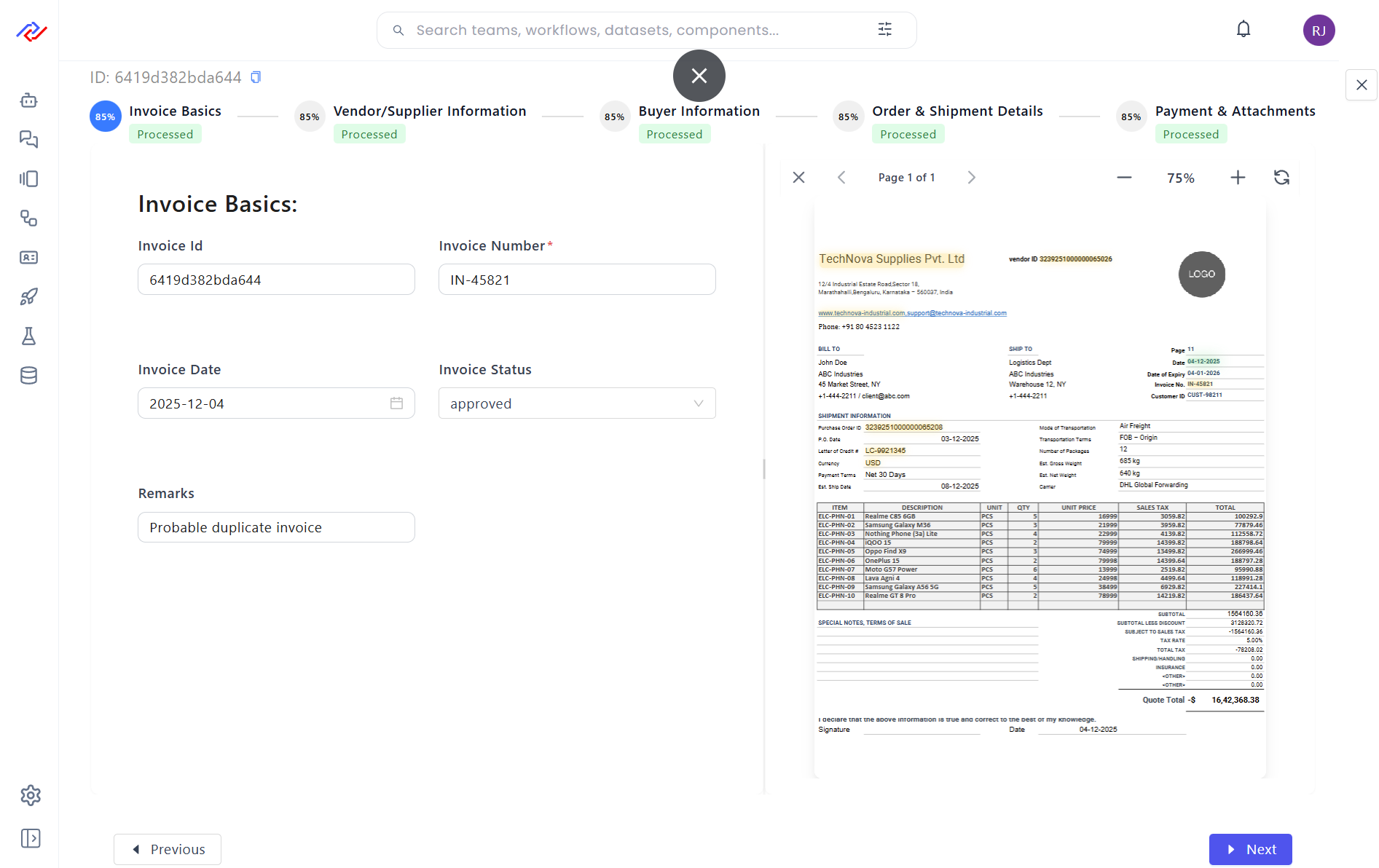
Extracted Mapping Behavior
- Each editable field links to its extraction region
- Selecting a field highlights its source area in PDF
- Corrected values override extracted values
- Original extraction metadata remains traceable
Interaction Flow
- User selects an item from List or other UI component
- Details Component loads dataset record by ID
- Journey steps render editable fields
- Optional PDF panel shows extraction context
- User edits and saves updated values
Common Use Cases
- PDF data review and correction
- Document processing validation
- Workflow step verification
- Record enrichment
- Compliance and audit review
Capabilities
- Step-based journey layout
- Editable dataset fields
- PDF source visualization
- Extraction-to-field mapping
- No-code configuration
Summary
Details Component combines structured journey views, editable fields, and PDF extraction visualization. It enables accurate review and correction of extracted data, making it suitable for document-centric workflows requiring validation and human oversight.