Page Component
Overview
Page Component is a UI-level component used to design full application pages using a visual builder. It supports dynamic layouts, nested sections, and data-driven rendering using dataset field mapping.
Available only when team type is set to UI.
Purpose
Page Component enables creation of dynamic pages without code. Pages are visually designed and backed by dynamic data using a Jinja2-style templating approach.
Configured pages automatically become reusable UI views.
Key Capabilities
- Visual page builder
- Section-based page layout
- Dynamic data binding
- Dataset field mapping
- Jinja2-style dynamic rendering
- No-code page configuration
Page Creation Flow
Create Page Layout
- Open Team Builder
- Switch team type to UI
- Drag and drop Page Component into canvas
- Define page structure using sections (header, body, footer, blocks)
Layout is created visually using drag-and-drop.
Design Page Visually
- Add and arrange UI sections
- Configure headers, content blocks, and containers
- Define static and dynamic regions in layout
Page structure is finalized before data binding.
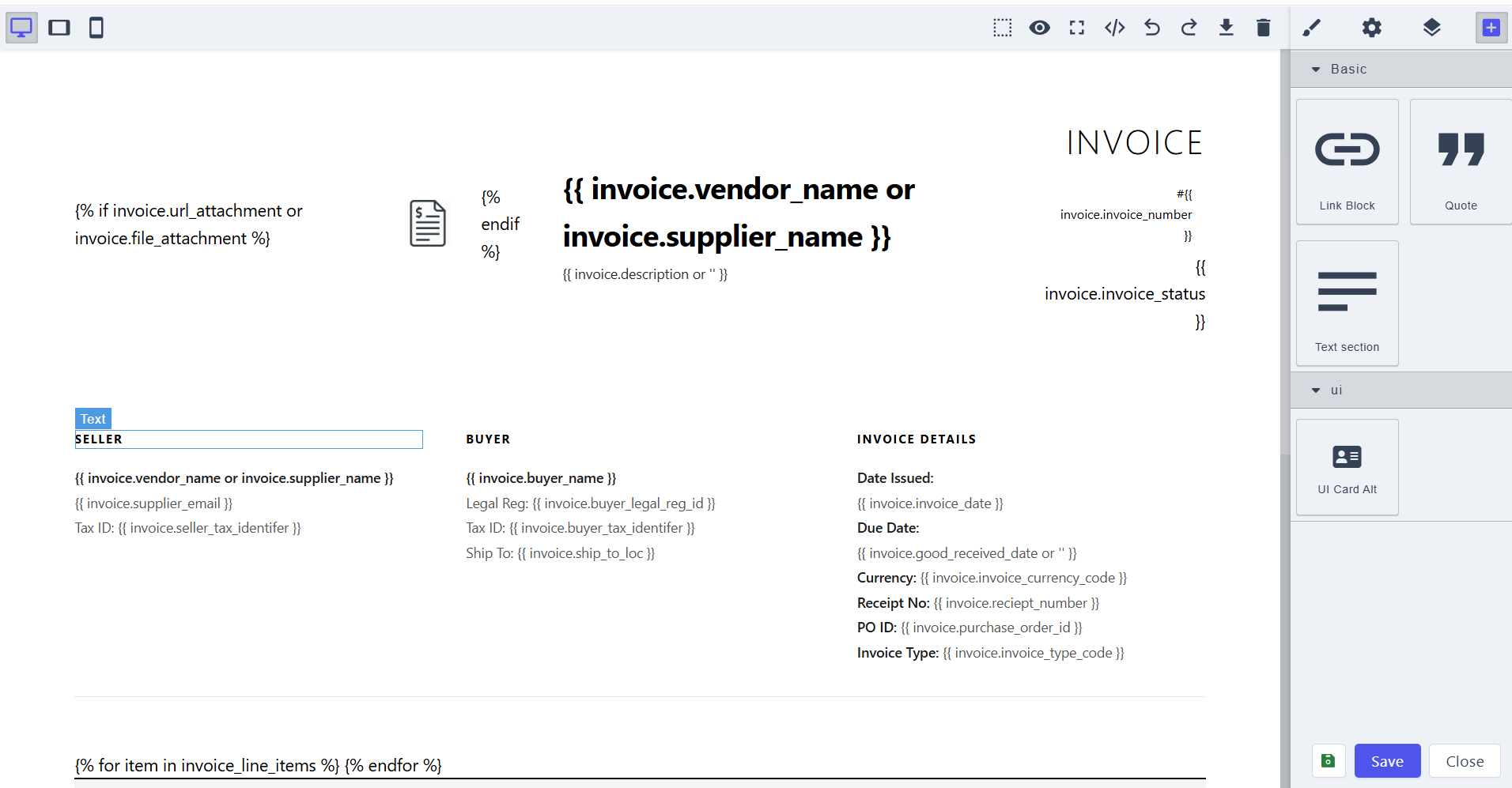
Configure Dynamic Data
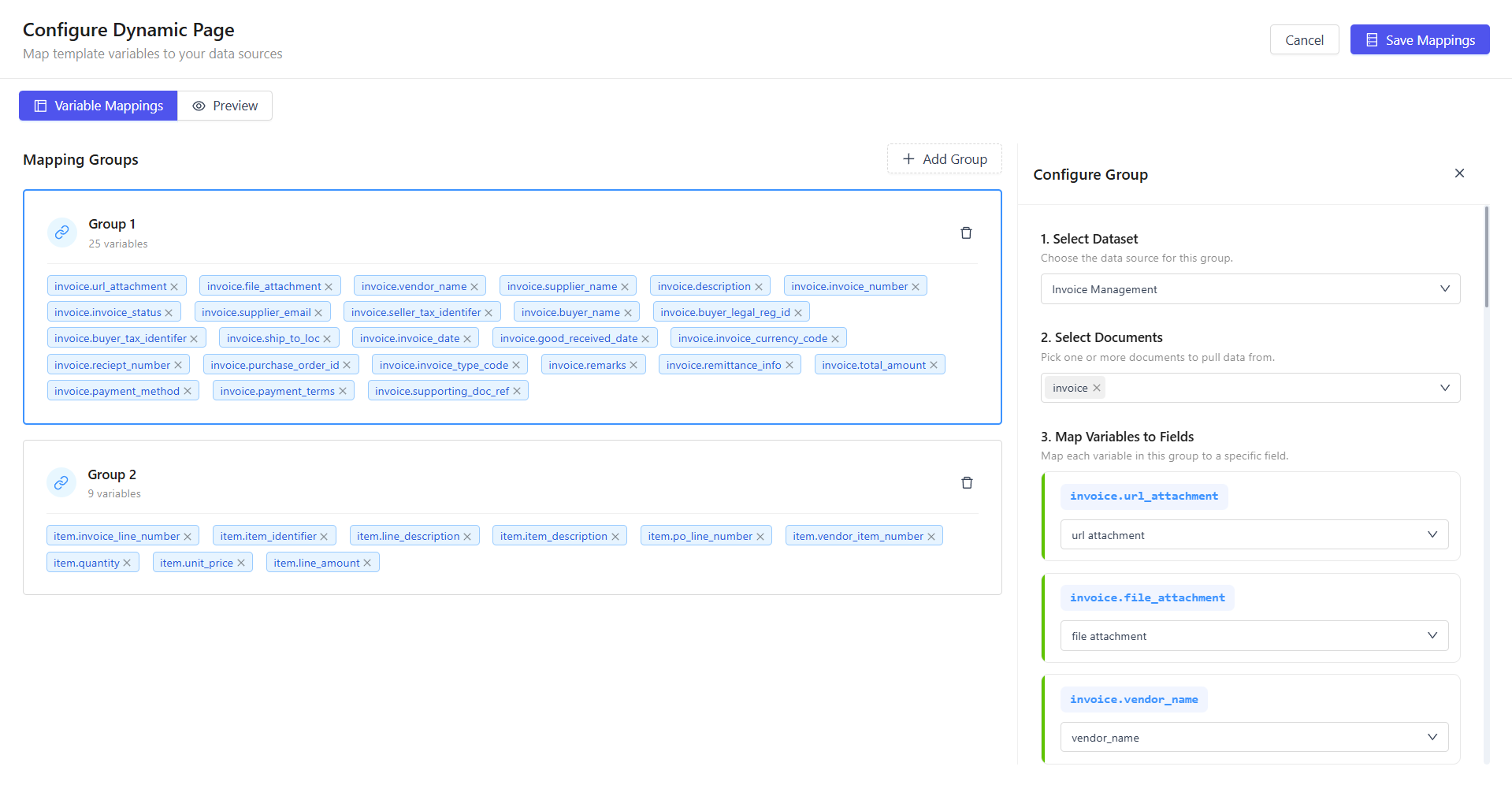
- Open Page Component configuration screen
- Select dataset source
- Map dataset fields to page sections
- Bind fields to dynamic placeholders using Jinja2-style expressions
This allows page content to render dynamically per dataset record.
Preview and Save
- Preview page using default configured values
- Validate layout and bindings
- Save configuration
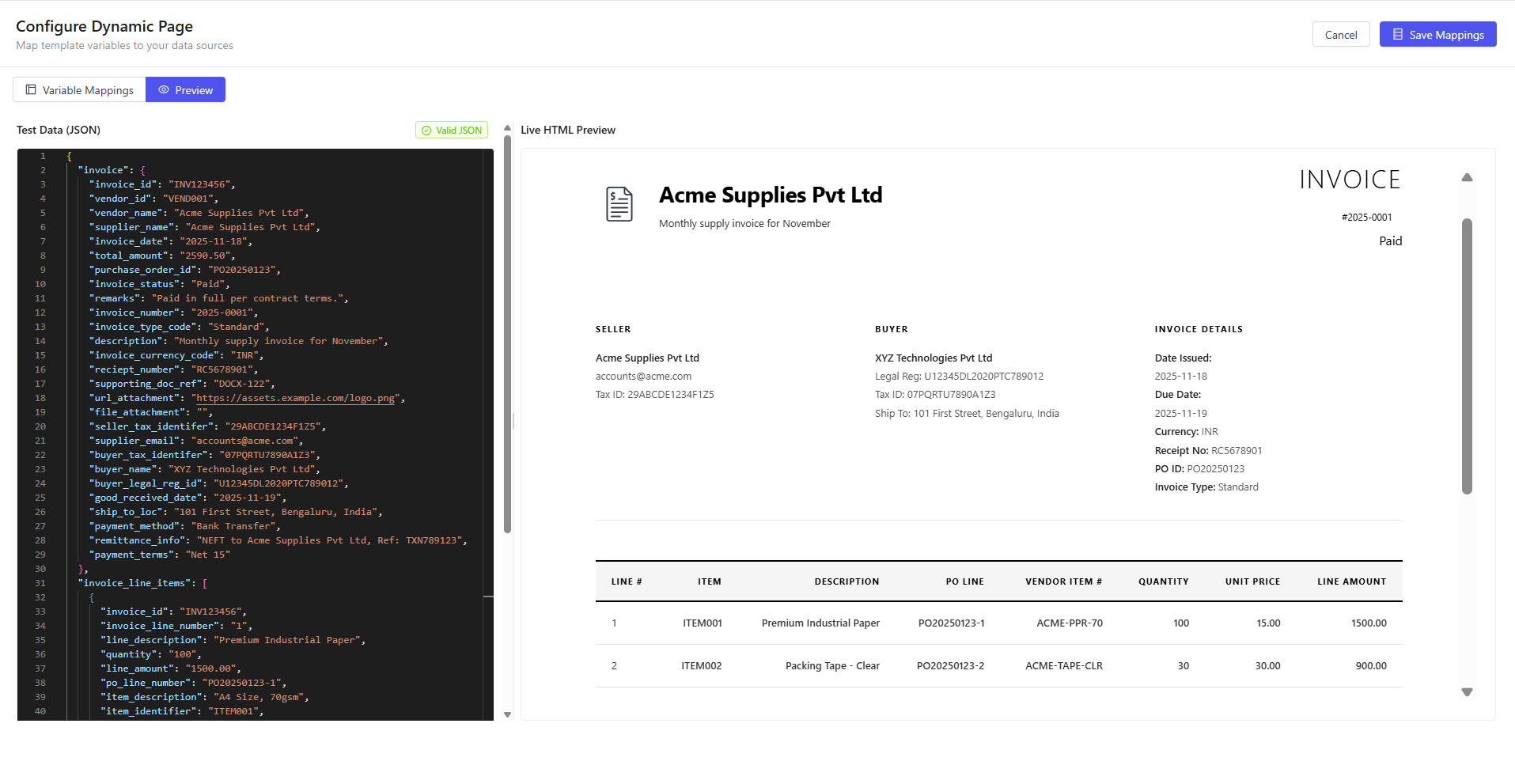
Configured page is now ready for use.
Runtime Behavior
My Work Section
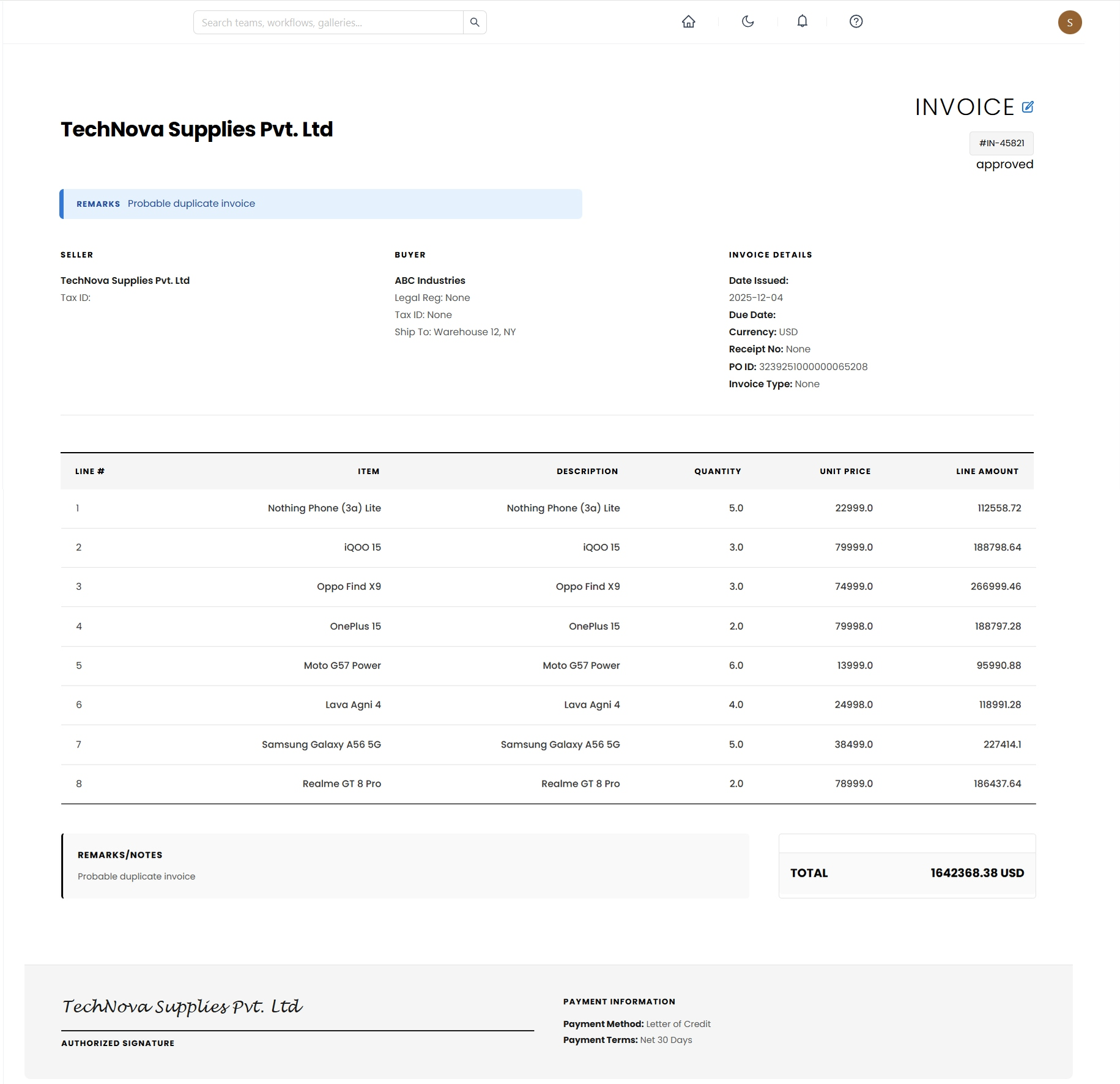
- Configured pages appear under My Work
- Each page reflects its designed layout
- Data is rendered dynamically based on dataset mapping
Clicking a page opens the fully rendered dynamic view.
Use Cases
- Dynamic detail pages
- Data-driven dashboards
- Entity profile pages
- Workflow summary pages
- Custom internal application pages
Summary
Page Component allows visual construction of full application pages and binding to live datasets using dynamic field mapping. Output is reusable, data-driven UI views rendered in real time without writing code.