RuleValidationAgent
Overview
RuleValidationAgent lets users define, manage, and execute business rules using application objects. Rules validate object attributes, apply conditions, and trigger outcomes in a clear and predictable way.
Agent Configuration
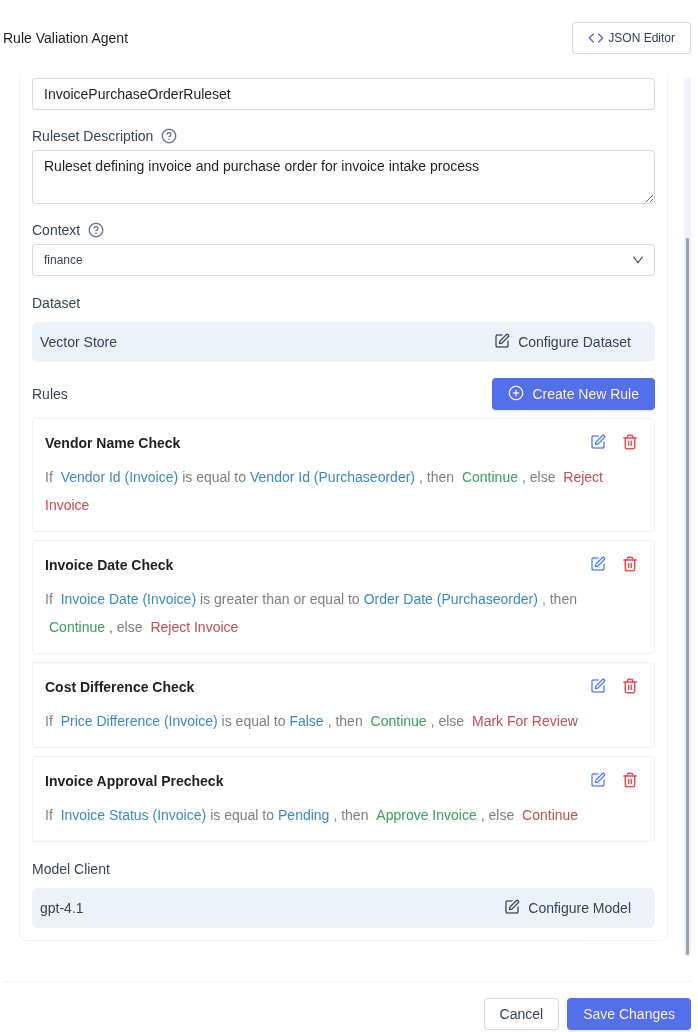
The main configuration screen is where the ruleset is managed.
- Name and describe the ruleset
- Select the business context
- Choose the dataset the rules apply to
- Review all configured rules in execution order
- See each rule displayed in a readable, plain-language format
- Edit or remove individual rules
Rules are evaluated sequentially from top to bottom.
Creating a Rule
Each rule consists of:
- One or more conditions
- A success action
- A failure action
Rules operate on the current state of objects, including any changes made by earlier rules.
Defining Conditions
Simple Conditions
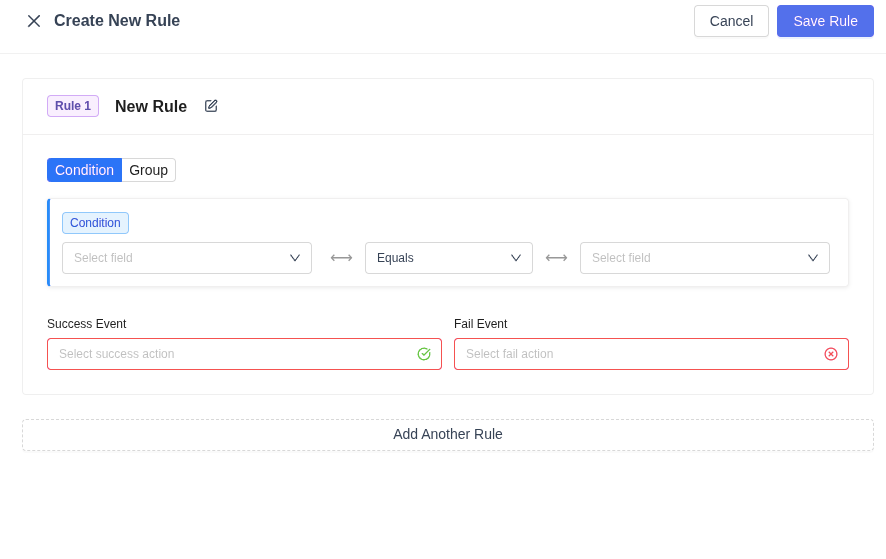
A simple rule compares:
- An attribute from an object
- A comparison operator
- Another attribute, variable, or value
This is used when a single comparison determines the outcome.
Grouped Conditions
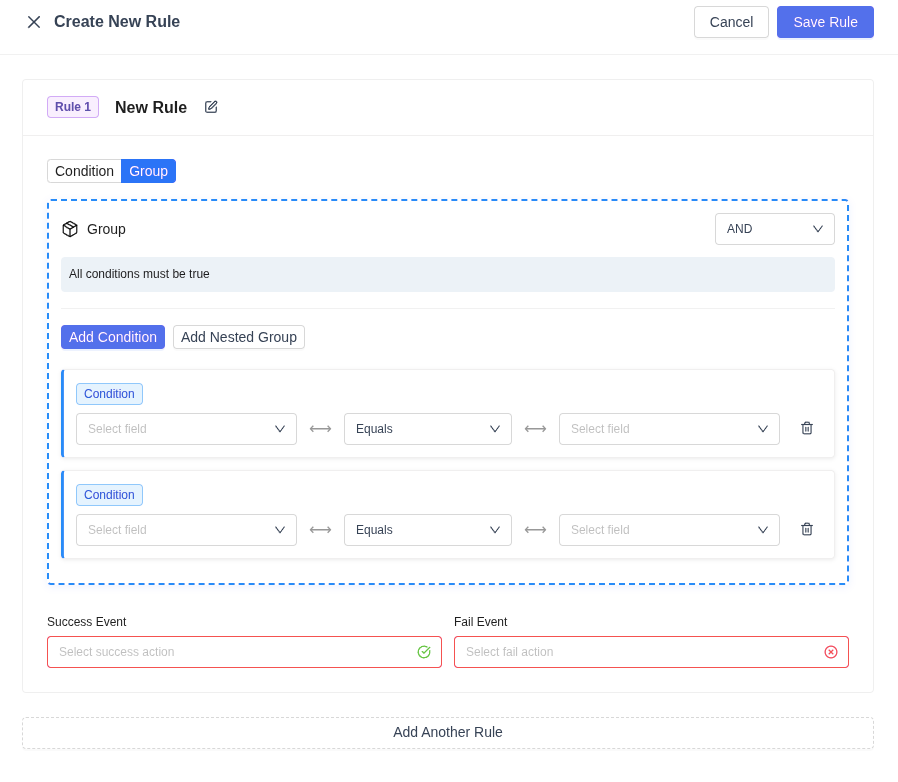
For more complex logic, conditions can be grouped.
- Multiple conditions can be combined using AND or OR
- Groups can be nested to express complex business logic
- Group rules clearly state how conditions are evaluated
The rule still produces a single success or failure result.
Objects and Attributes
- All data is represented as objects
- Users select object attributes when defining conditions
- Attributes may be static or dynamic
- Dynamic attributes reflect updates made by earlier rules
Rules always evaluate against the latest object state.
Actions
Object Actions
Actions can modify object attributes or object state as a result of rule evaluation.
General-Purpose Actions
The following actions are available across all rules:
- Continue without taking any action
- Terminate rule evaluation early
- Raise an error
Only the action tied to the rule outcome is applied.
General-Purpose Variables
These variables are available in all rules:
-
Current DateTime The current date and time at execution.
-
Execution Count The number of rules already evaluated in the current run.
Rule Execution
- Rules run in the order they are listed
- Each rule evaluates once
- Actions may affect subsequent rules
- Early termination stops further evaluation
RuleValidationAgent provides a structured, user-facing way to define and enforce business logic using objects, conditions, and outcomes.