UserProxyAgent
Description: An agent that can represent a human user through an input function. Consulted only when the assistant_agent is unable to verify information.
Overview
UserProxyAgent is a Human-in-the-Loop (HITL) agent that represents a real human user inside an agent-based system.
This agent pauses automation, waits for explicit human input, and resumes execution once valid input is provided.
Create User Proxy Agent
Actions
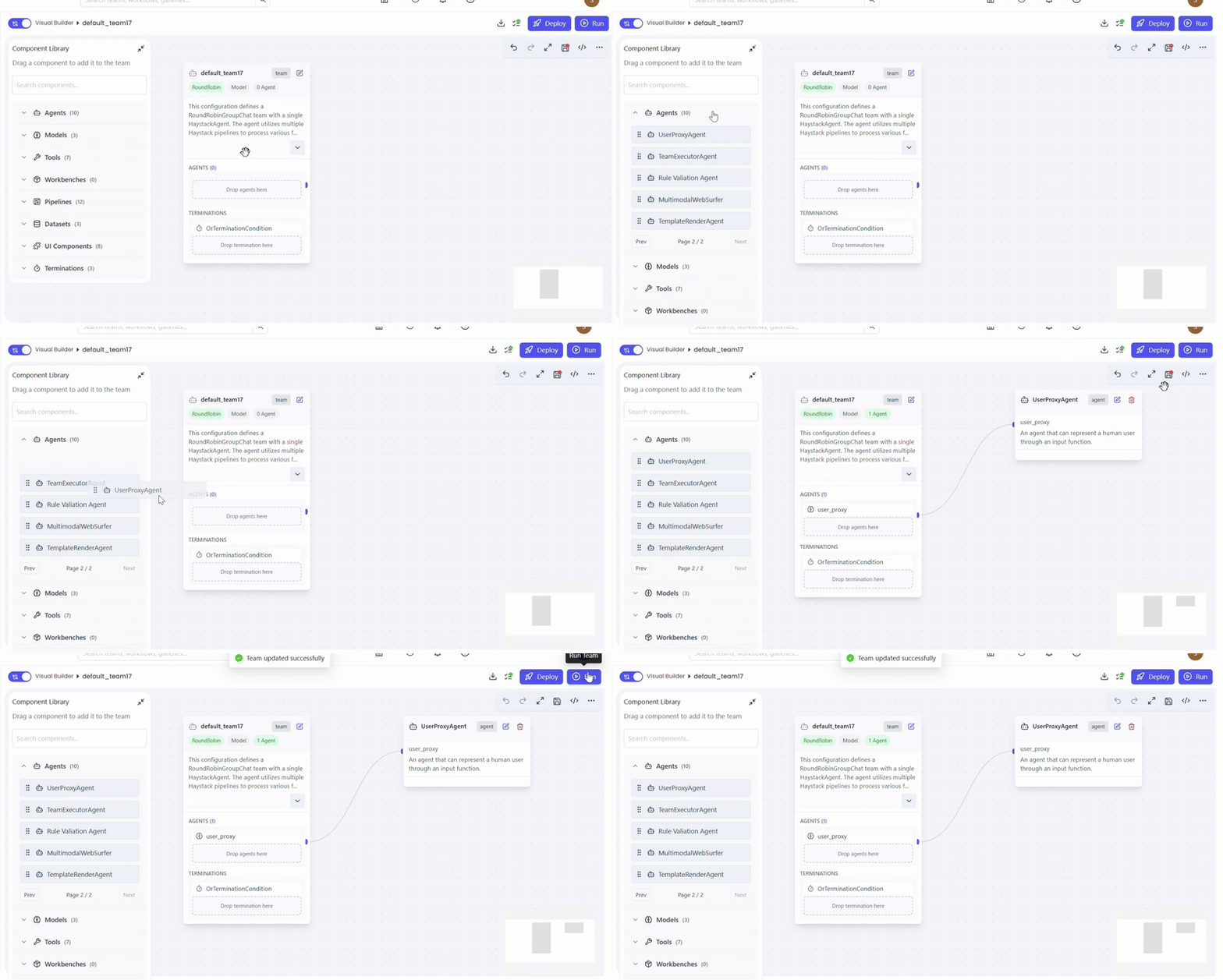
- Open Team Builder
- Ensure team type is set to Agent
- Drag and drop User Proxy Agent into the canvas
(Optional) Configure Responsive Card
UserProxyAgent supports Responsive Cards for structured, UI-based user interaction.
What Is a Responsive Card?
A responsive card is a dynamic UI component that:
- Displays structured data
- Allows user interaction (edit, select, confirm)
- Adapts automatically to metadata and instructions
Case 1: Dataset / Vector Store–Driven Automatic Responsive Card
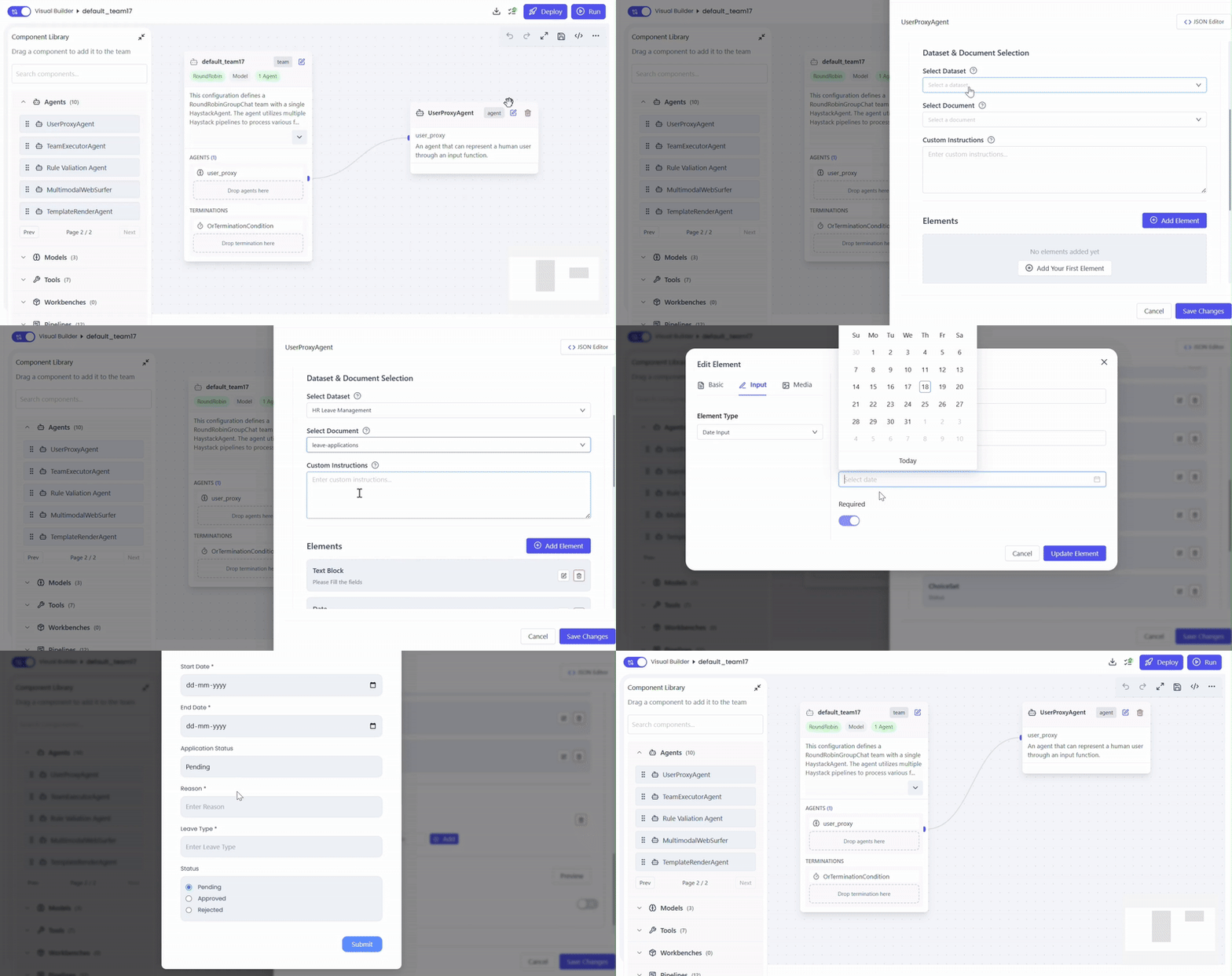
Use this when your dataset metadata already defines the required fields.
Actions
- Select Dataset
- Select Document
- Responsive card fields are automatically generated from metadata
- Review and optionally edit field properties (label, type, required, read-only, etc.)
Best for: Structured documents, standardized forms, vector-store–backed metadata.
Case 2: Manual Responsive Card Creation
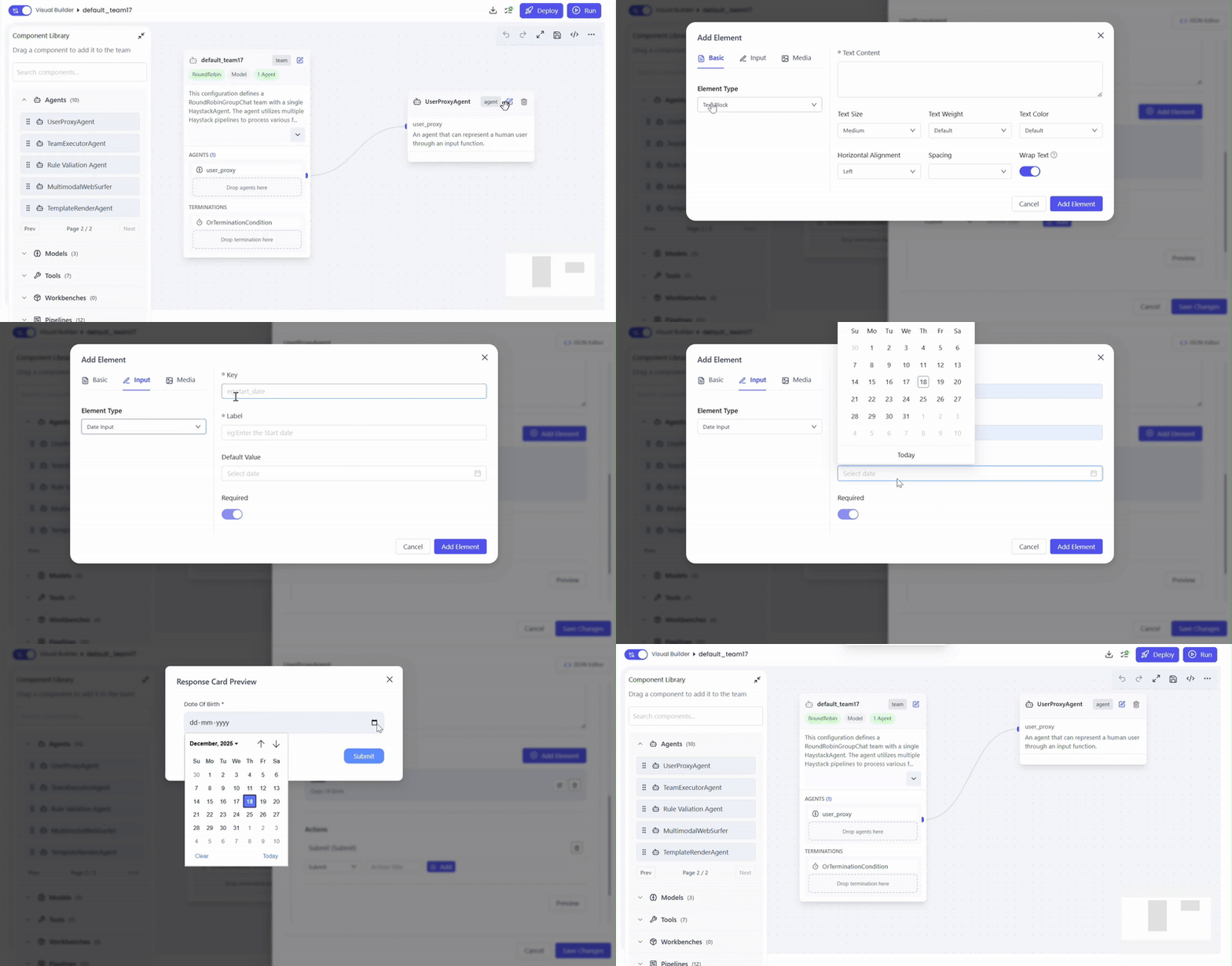
Use this when no dataset metadata exists or when custom fields are required.
Actions
- Create responsive card fields one by one
- Define for each field:
- Field name
- Field type
- Required / optional
- Editable or read-only
- Arrange fields as needed for user interaction
Best for: Ad-hoc forms, approvals, clarification flows.
System Prompt (Field Control Instructions)
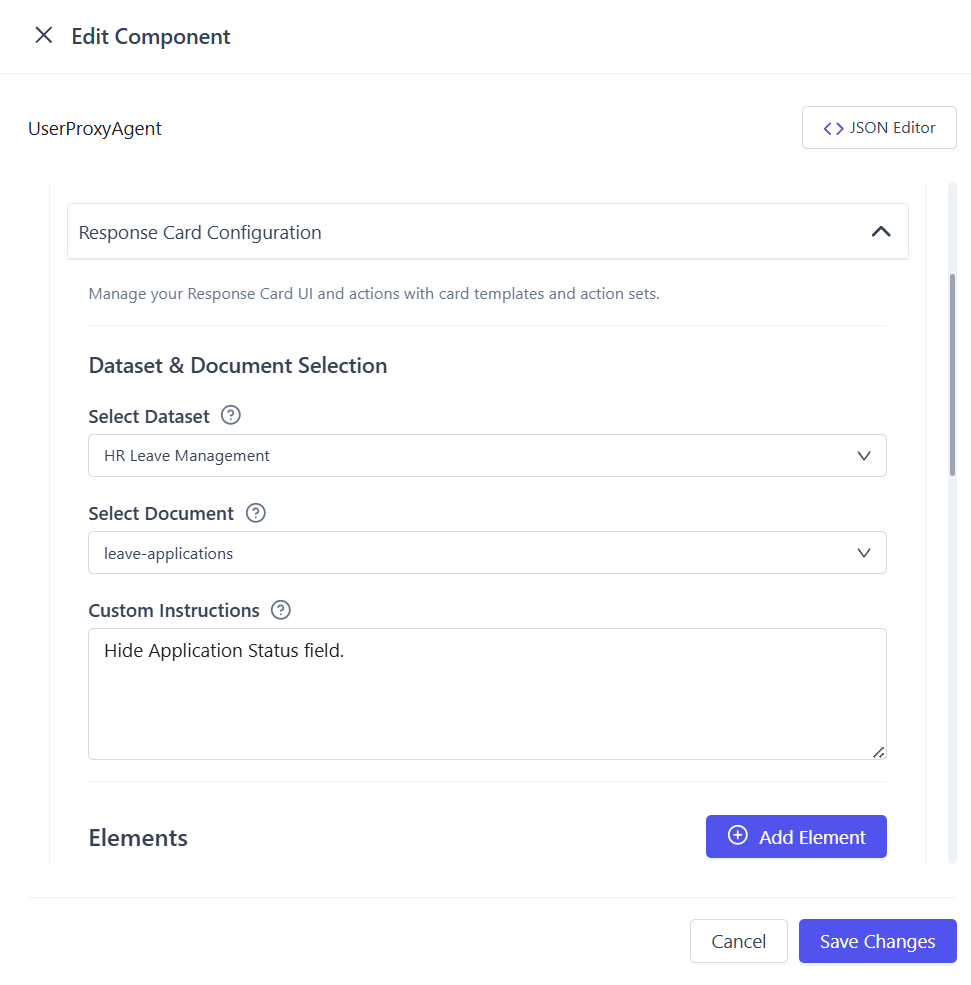
Add a system prompt to control card behavior such as hidden fields, calculated values, or non-editable fields.
Example System Prompt
Hide fields: internal_id, confidence_score
Calculate values: total_amount = quantity * unit_price
Make approval_status read-only
Prevent user from editing system-generated values
This ensures:
- Sensitive or internal fields are hidden
- Derived values are calculated automatically
- User input is restricted where required
Assign Human Interaction Scope
Define who should handle the human-in-the-loop interaction.
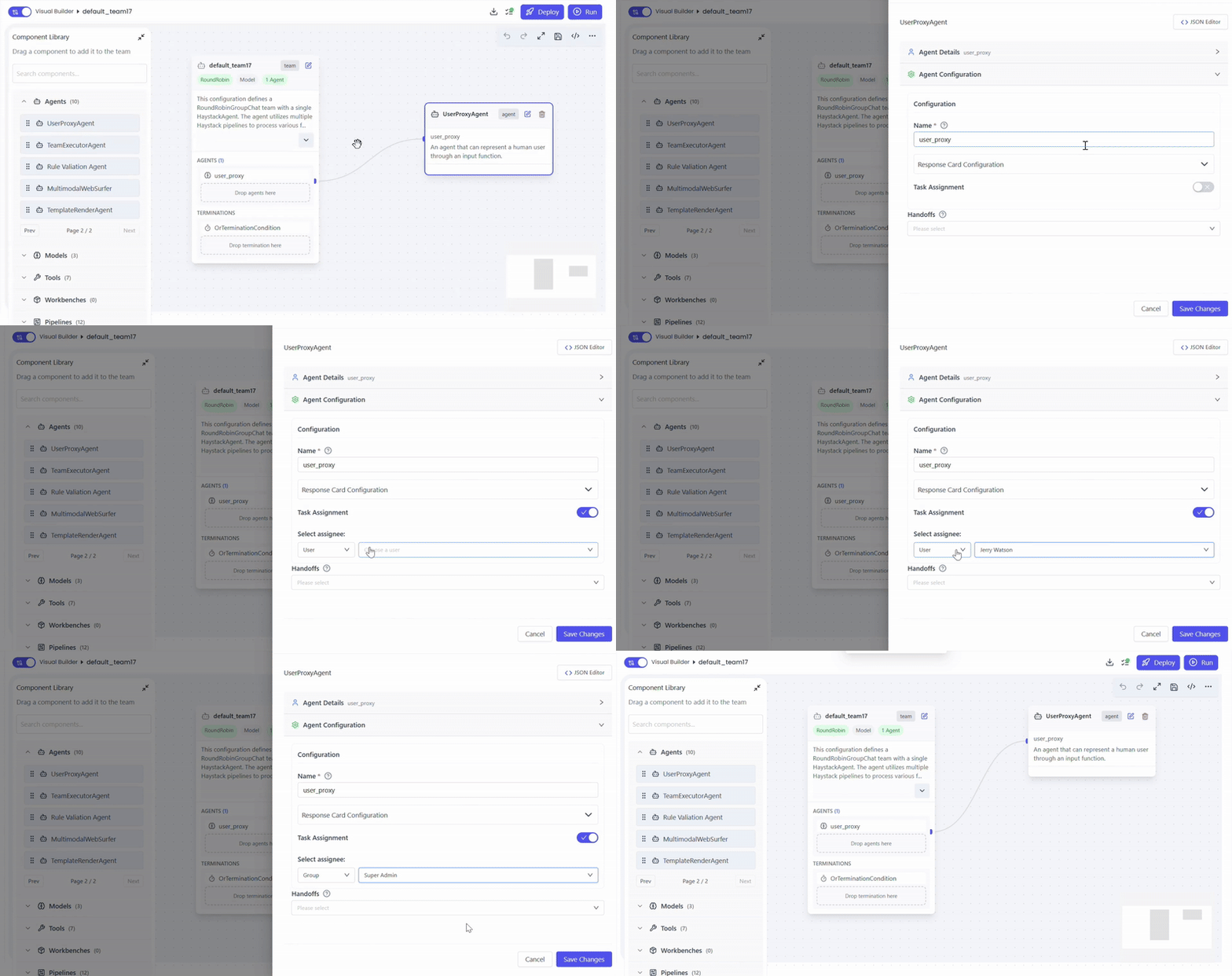
Options
Assign to Group
- Select Group
- Choose the group responsible for human interaction
- Any member of the group can respond
Example: Finance Team, HR Team, Review Committee
Assign to User
- Select User
- Choose a specific user for interaction
Example: Manager, Auditor, Approver
Handoff to Another Agent
After user input or confirmation is completed:
Actions
- Select the next agent in the workflow
Common handoff targets:
- Assistant Agent
- Workflow Assistant Agent
- DocProcessor Agent
- Response Formatter Agent
Supported Use Cases
UserProxyAgent is designed to handle scenarios where human judgment, confirmation, or completion is required.
Below are the key use cases it excels at:
Form Filling
Ensure accurate and complete data collection when automation falls short.
- Handle incomplete or partially filled forms
- Enforce mandatory field completion
- Allow user-provided overrides and corrections
Leave Applications
Enable smooth, guided leave management with human confirmation.
- Select or confirm leave type
- Validate start and end dates
- Capture optional remarks
- Confirm or approve leave requests
Manual Review & Approval
Introduce human validation for sensitive or high-impact decisions.
- Invoice approval workflows
- Policy review and confirmation
Clarification Requests
Resolve uncertainty when intent or data is unclear.
- Clarify ambiguous user intent
- Resolve conflicts between data sources
- Validate low-confidence extraction or inference results
These use cases ensure accuracy, compliance, and trust by seamlessly integrating human input into automated workflows.
When to Use UserProxyAgent
Use UserProxyAgent when:
- Automation must pause for human input
- UI-based confirmation is required
- Data correctness is business-critical
- Structured, guided user interaction is needed
- A vector store document must be reviewed or completed by a human
Summary
UserProxyAgent bridges the gap between automation and human judgment by:
- Waiting for real user input
- Rendering intelligent responsive cards
- Leveraging vector store metadata
- Enforcing explicit human decisions
It ensures accuracy, compliance, and trust in agent-driven systems.